Explore Azure, Linux and Docker application environments and NocoBase operations. Beyond startup status, I consider usability, traceable failures and recoverable data, connecting monitoring, backups and access paths into a complete operational workflow.
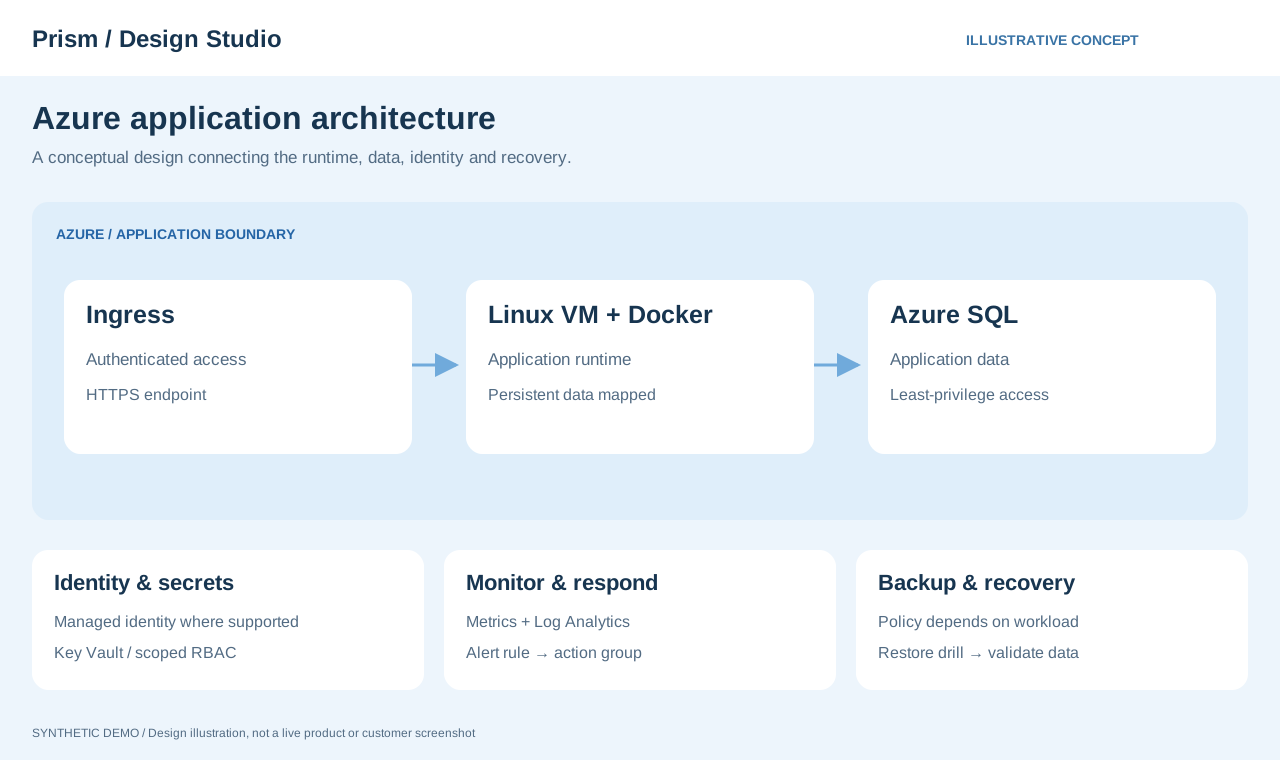
A conceptual view of ingress, Linux/Docker and Azure SQL alongside identity, monitoring and recovery. Connectivity and backup options must be validated for each workload.
A running container can still be unusable because of a failed dependency or insufficient storage. Establish a clear checking path from the user's entry point to the data store.
01 / INCIDENT RESPONSE
When an application becomes unreachable
A page that will not open may indicate a problem with the access path, application container or database. Investigate in sequence instead of repeatedly restarting without evidence.
01
Start at the entry point
Establish the scope and start time of the incident. Compare external access with internal responses to narrow the investigation.
02
Follow the dependencies
Check containers, logs, dependency connections and resource use, alongside recent configuration changes and updates.
03
Confirm recovery
Verify login, key operations and data access as well as startup. Record causes and actions to support future improvements.
Example deliverables
A checking sequence, impact assessment, evidence of the cause, actions taken and recovery validation records.
02 / BACKUP & RESTORE
Turn backups into executable recovery steps
A backup file alone may not restore a service if configuration or related files are missing. Define checks around restoring both the application and its data.
01
Identify what recovery needs
Map databases, uploaded files, configuration and runtime dependencies, specifying what must be restored and from where.
02
Validate in an isolated environment
Check recovery procedures without disrupting production use. Identify the required sequence and any missing information.
03
Reconcile functionality and data
Check connectivity, key functions, record counts and file access. Define readiness to resume service and explain differences caused by the backup timestamp.
Example deliverables
A backup inventory, restoration steps, verification results and follow-up tasks after recovery.
01 / ENVIRONMENT
Make environments and dependencies visible
Map applications, databases, storage and connection paths so configuration and data locations can be traced.
Docker / Linux
Check persistent volumes, networking and log destinations as well as whether containers have started.
Environment isolation
Document configuration differences between development, testing and production to avoid confusing destinations or datasets.
Change records
Record the previous state, actions taken and verification results for future maintenance and troubleshooting.
02 / RECOVERY
Make backups support real recovery
Verify that backups are saved successfully and can actually be restored. Document recovery order and post-restoration checks.
Scope and frequency
Identify the data, configuration and files to back up, choosing frequency with acceptable data loss in mind.
Restoration steps
Check required files, connection settings and dependent services, then document the order of operations.
Post-recovery validation
Check startup, connectivity, key functions and data consistency before deciding that the service is ready to use again.
OPERATIONS / OBSERVE & RESPOND
Notice the small changes before they grow.
Key monitoring considerations and incident response steps. The following outlines an approach to monitoring design.
01 / RESOURCES
Resource health
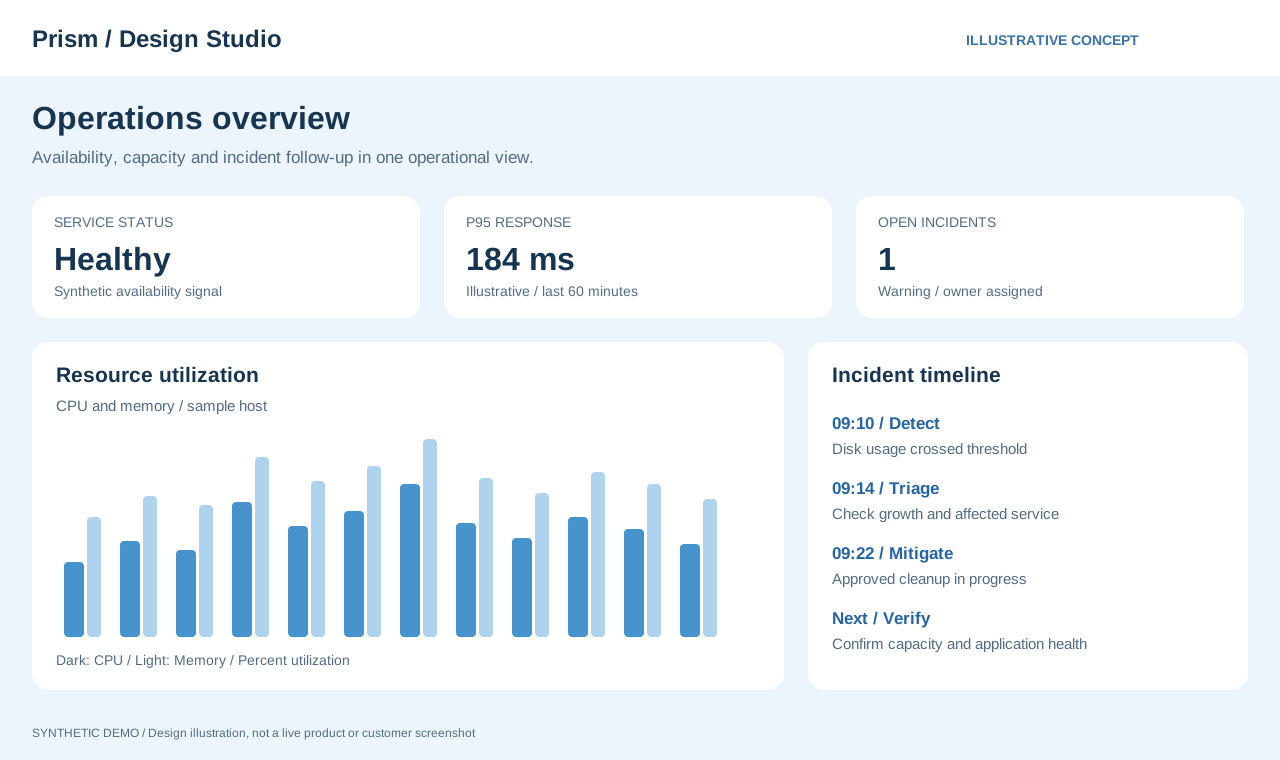
Observe CPU, memory and disk usage over time. Consider growth trends and remaining capacity rather than isolated peaks alone.
CPU · Memory · Disk02 / AVAILABILITY
Service availability
Check real access paths and responses as well as process and container status to establish whether a service is usable.
Process · Container · HTTP03 / DIAGNOSTICS
Traceable operational records
Use logs that identify time, affected components and operations, alongside change history, to investigate causes.
Logs · Events · Changes04 / RECOVERY
Recovery readiness
Go beyond the existence of backups to document restoration methods, dependencies and post-recovery checks.
Backup · Restore · Verify
What happens after an anomaly is detected?
Make the path from detection to review clear.
01
Detect
Identify differences from normal behavior
02
Diagnose
Check the impact and relevant logs
03
Respond
Restore service using the procedure
04
Review
Record causes and preventive actions
View operational checkpoints
Daily checks
Service responses and error logs
Resource usage and growth trends
Backup job results
Before and after changes
Clarify the change and its impact
Check rollback procedures and backups
Verify connectivity and behavior after changes
AZURE / CLOUD PLATFORM
Support data and applications with Azure
From Azure SQL analytics to Linux and Docker application environments, include connectivity, monitoring and recovery in operational design.
SIGNALAZURERESPONSE
Connect Azure SQL and analytical tools
Define connections, refresh methods and read permissions for tools such as Tableau, and reconcile aggregates with source data.
Application runtime environments
Map Linux and Docker components, storage and connection paths to make dependencies between applications and data explicit.
Monitoring and ongoing operations
Consider resource usage, service responses, logs and notifications, including backups and post-recovery validation in routine operations.
Six checks for Azure operations.
These are design and validation considerations, not configurations executed by this site or claims about an existing deployment.
Separate environments and network boundaries
Separate development, test and production resources. Map VNet, subnet and NSG boundaries, document required destinations and ports, and limit public exposure.
Manage identities and secrets
Evaluate managed identities where supported, Key Vault and least-privilege RBAC. Separate secrets from configuration and document verification after permission changes or secret rotation.
Investigate with Azure Monitor
Combine metrics with Log Analytics logs to investigate latency, failures and disk growth. Make alerts actionable with an affected resource, impact, owner and initial response steps.
Verify backups through restoration
Agree on RPO and RTO with the business and select supported protection for each VM or database. Restore in an isolated environment and check elapsed time, record counts and core functions.
Define Azure SQL operational checks
Check connection permissions, query load, waits and refresh timing separately. For slow Tableau extracts, measure SQL execution and BI refresh independently, then reconcile totals with source data.
Review cost and changes
Use consistent owner, purpose and environment tags, and review budget alerts and usage trends. Before resizing or cleanup, check dependencies, approval, post-change monitoring and rollback.